
Simple, modern file browsing for Windows.
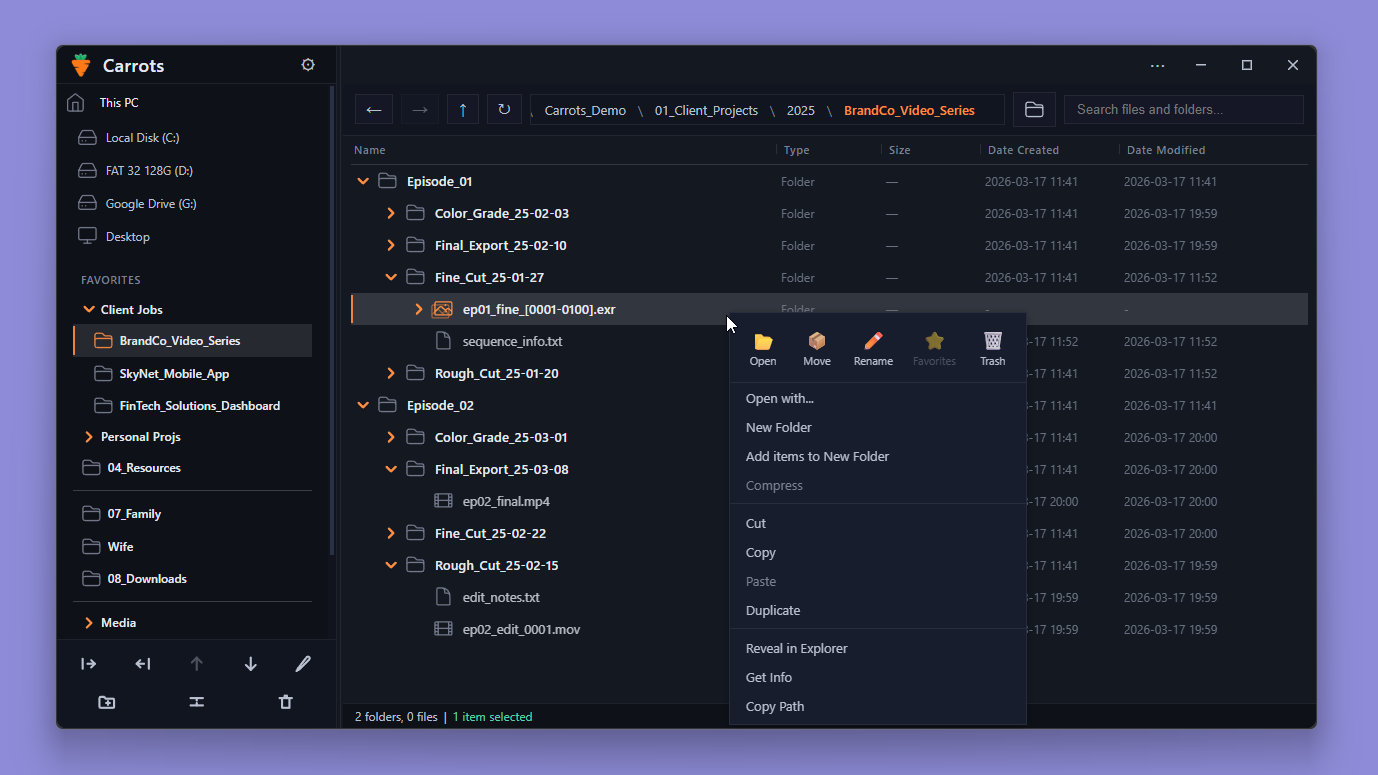
Navigate your entire file structure in one view. No window juggling. No drilling through folders.
Works like Apple Finder's List View. Built for Windows.
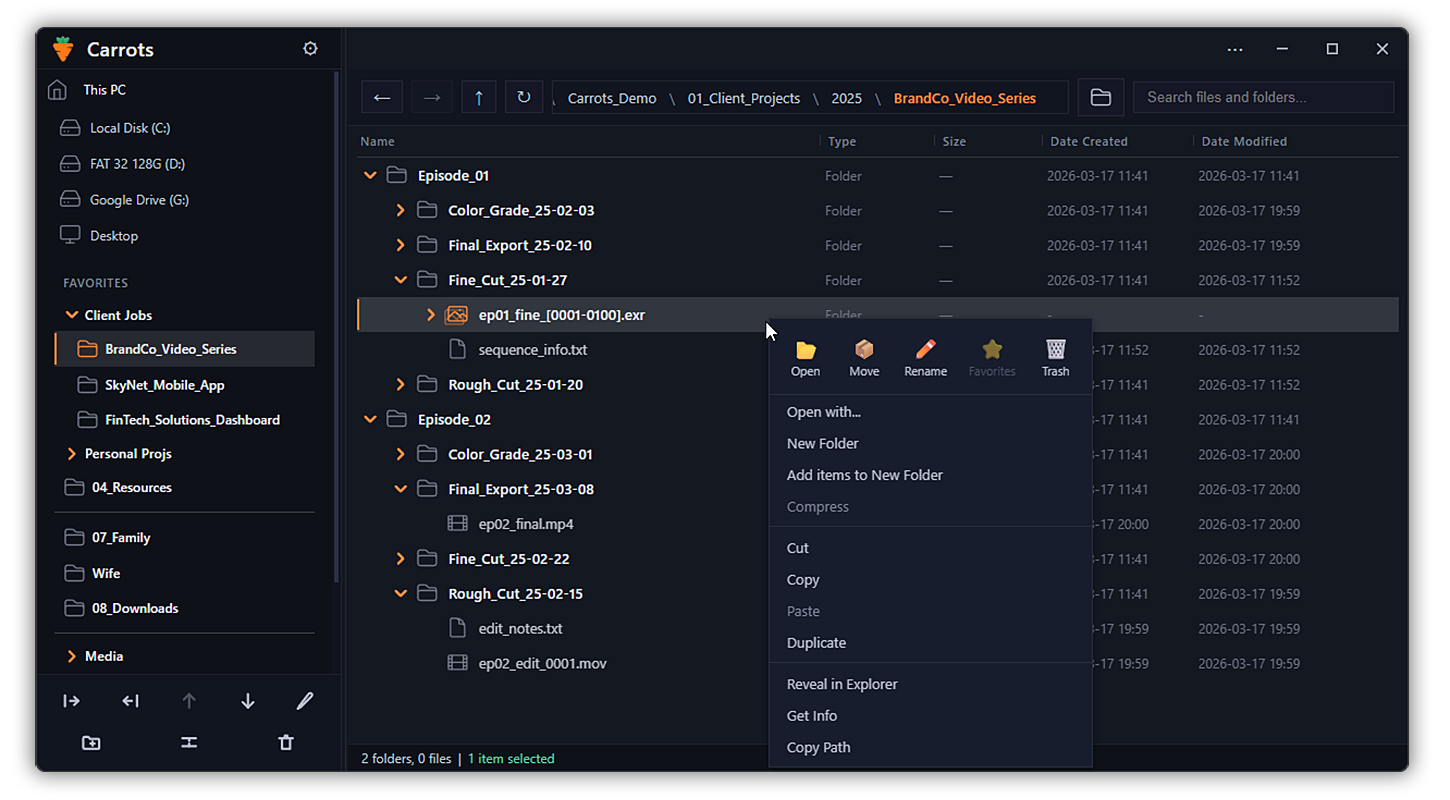
Structural Navigation
See your entire file hierarchy in one continuous view. Manage your files and folders in one place.
- Expand folders inline.
- View files and subfolders together.
- Search without losing your place.
- Use the same file operations you already know.
Navigation should feel continuous, not fragmented.
Workflow Tools
Cusomizable favorites bar, image sequence grouping and easy renaming.
Tools designed to reduce friction inside real projects.
- Organize projects with customizable Favorites groups and dividers.
- Preview files instantly, without breaking your flow.
- Automatically detect, rename, and manage numbered image sequences.
Fewer interruptions. More control.
Control & Customization
Customize the interface to match your visual preferences, with full keyboard control.
- Switch between light and dark modes.
- Choose accent colors.
- Adjust density, spacing, and icon styles.
- Control how files are displayed, including extensions and hidden items.
- Keyboard shortcuts list.
Make it yours.
Why Carrots?
Because file navigation on Windows hasn’t evolved.
I've used both Mac and Windows for over twenty years.
Every time I use Windows, the same frustration hits me: Windows Explorer.
It's inefficient. Disconnected. Frustrating.
It’s not broken.
It just makes file browsing feel like work.
You open one folder at a time.
Forward. Back. Forward. Back.
You open more windows just to stay organized.
You lose track of where you are in your own files.
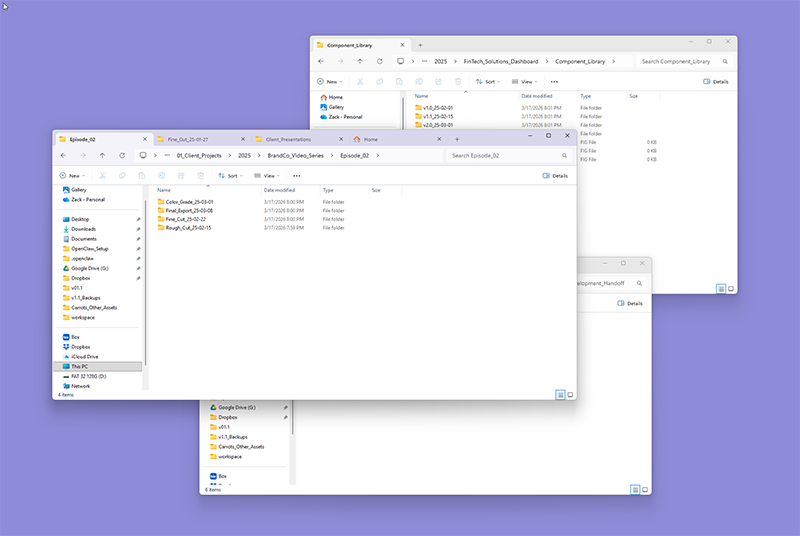
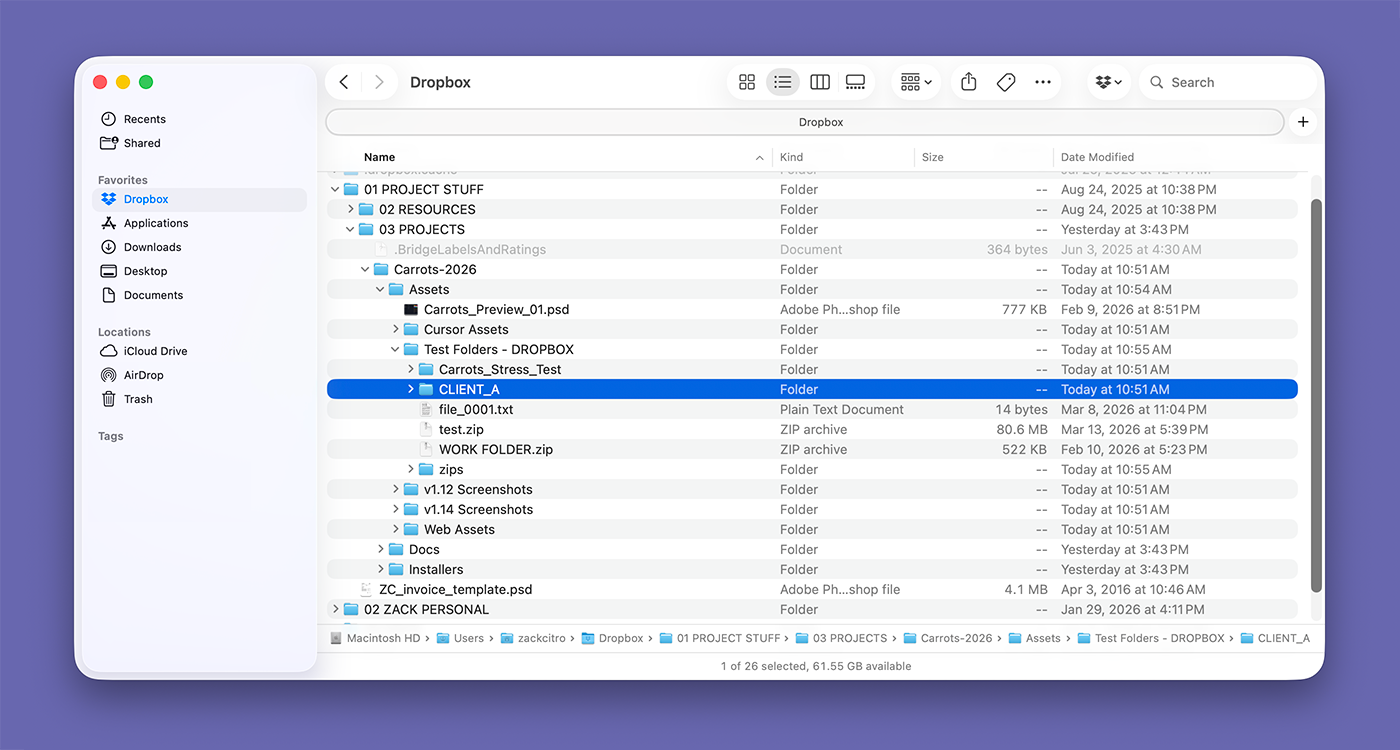
Apple solved this 25 years ago.
In Apple Finder’s List View, your entire folder structure is visible in one place.
Everything stays connected.
You always know where you are.
You move through files instantly.
It’s simple, and makes sense.
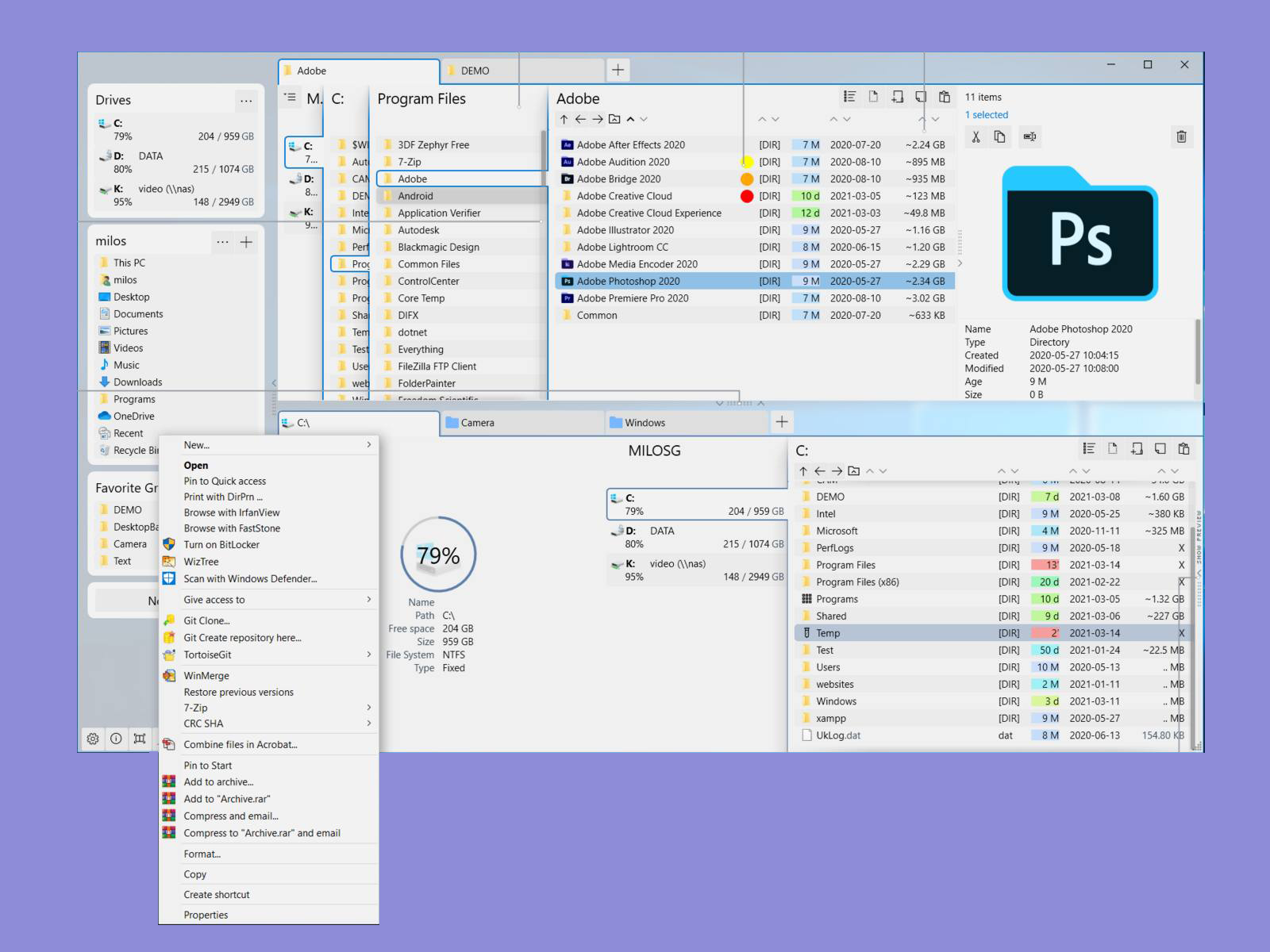
I thought other Windows file managers would fix this.
They didn’t.
They added more features.
More panels. More controls. More complexity.
They’re built as full Explorer replacements for power users who want to do more.
But that’s not what I wanted.
I wanted something simpler.
The problem isn’t features.
The problem is navigation.
So I built Carrots.
Carrots brings a better way to navigate files on Windows. Your folders stay connected. Your structure is always visible.
If you spend real time navigating files, you feel this immediately.
No more drilling. No more window chaos.
Just fast, clear, efficient file browsing.
Simple. Efficient. Organized.
©2026 Carrots, All right reserved.