The File Browser Built for Creators.
Mac OSX Finder Dropdown list view navigation. Browse, preview, edit. All in one app.
Built for content creators, video editors, animators, designers and creative professionals who need fast file management.
The File Browser
Built for Creators.
Browse, preview, edit. All in one app.
Built for content creators, video editors, animators, designers, creative professionals, and anyone looking for a more efficient Windows file management.
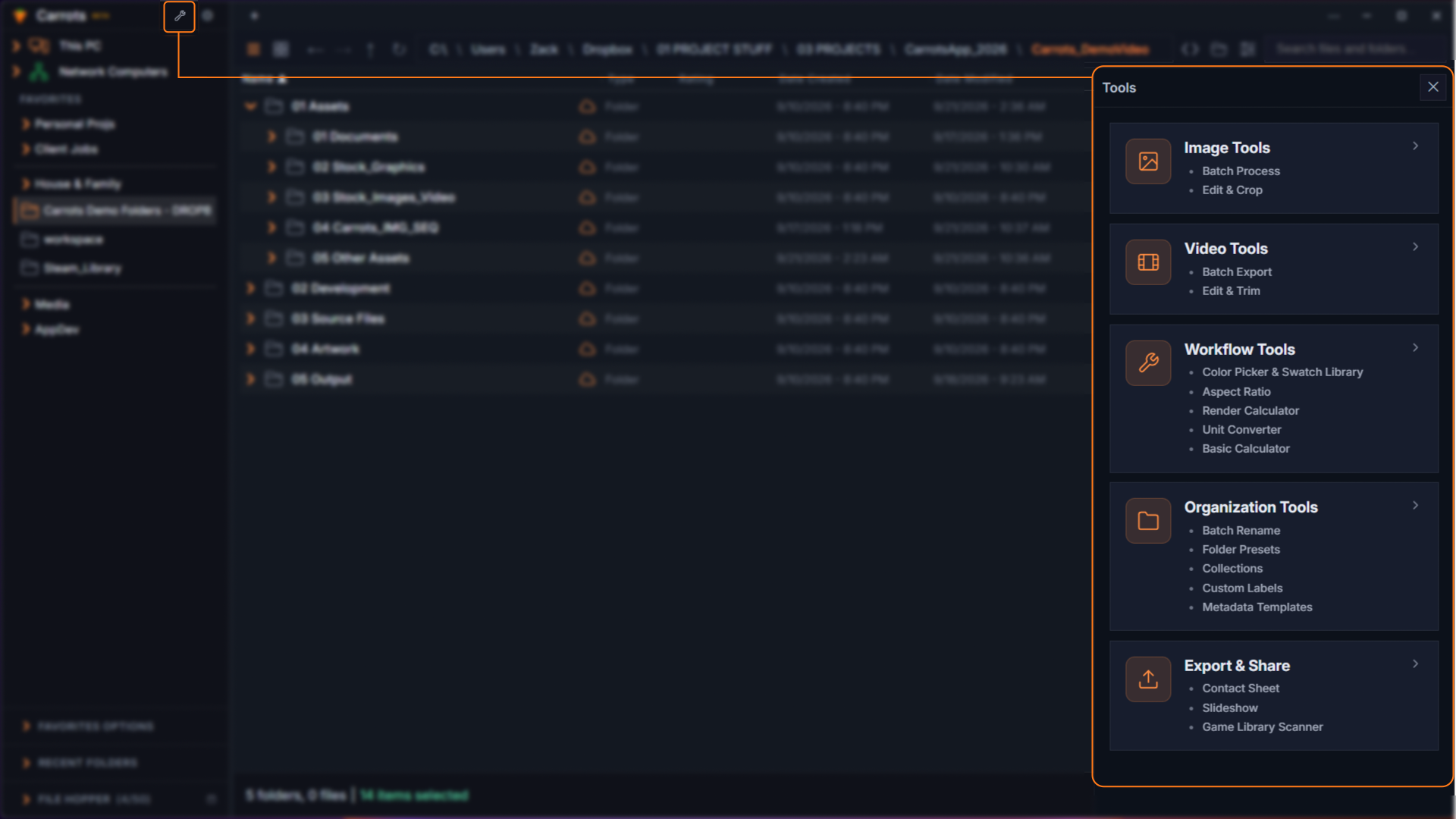
Built for creators.
Works for everyone.
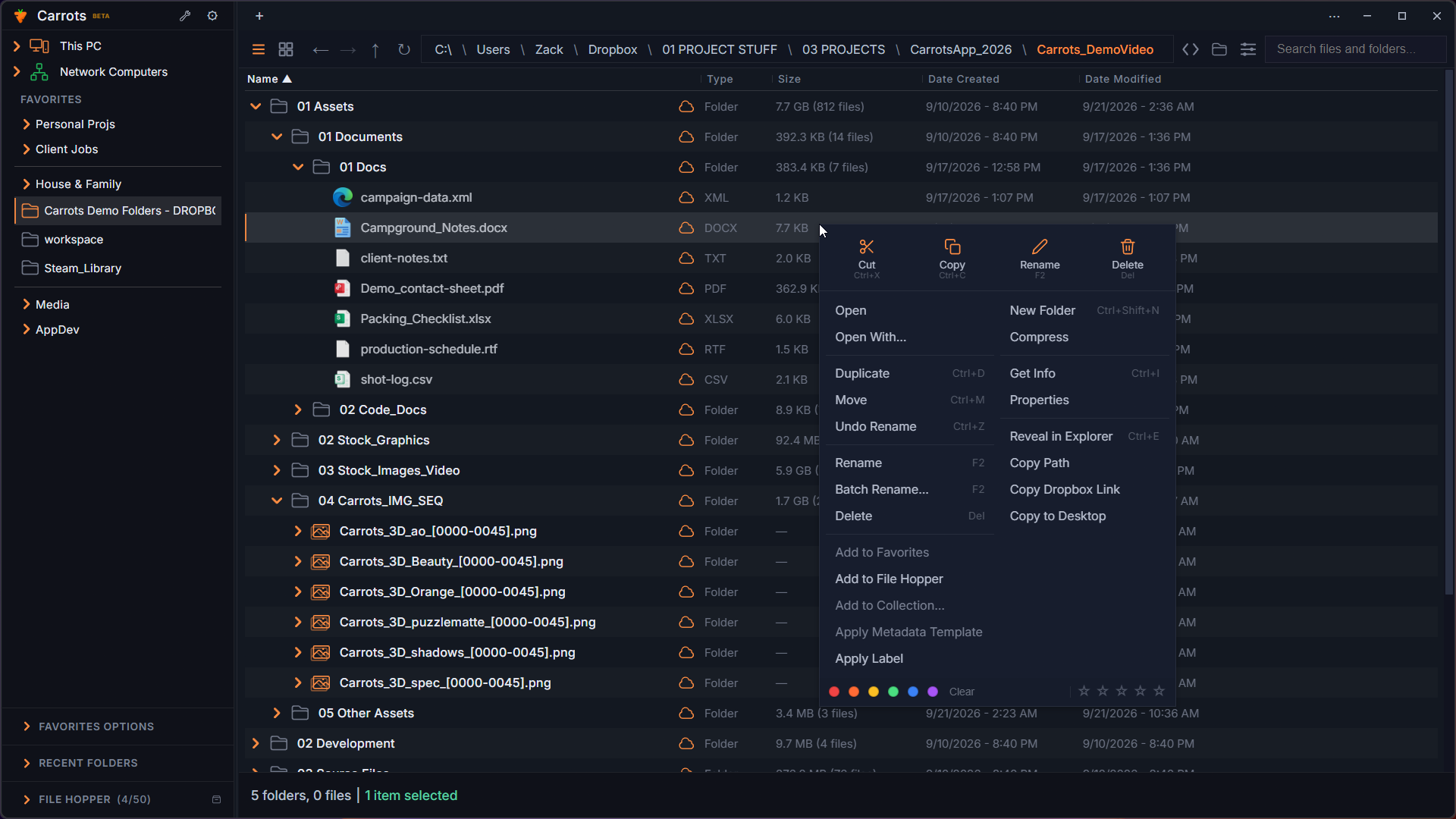
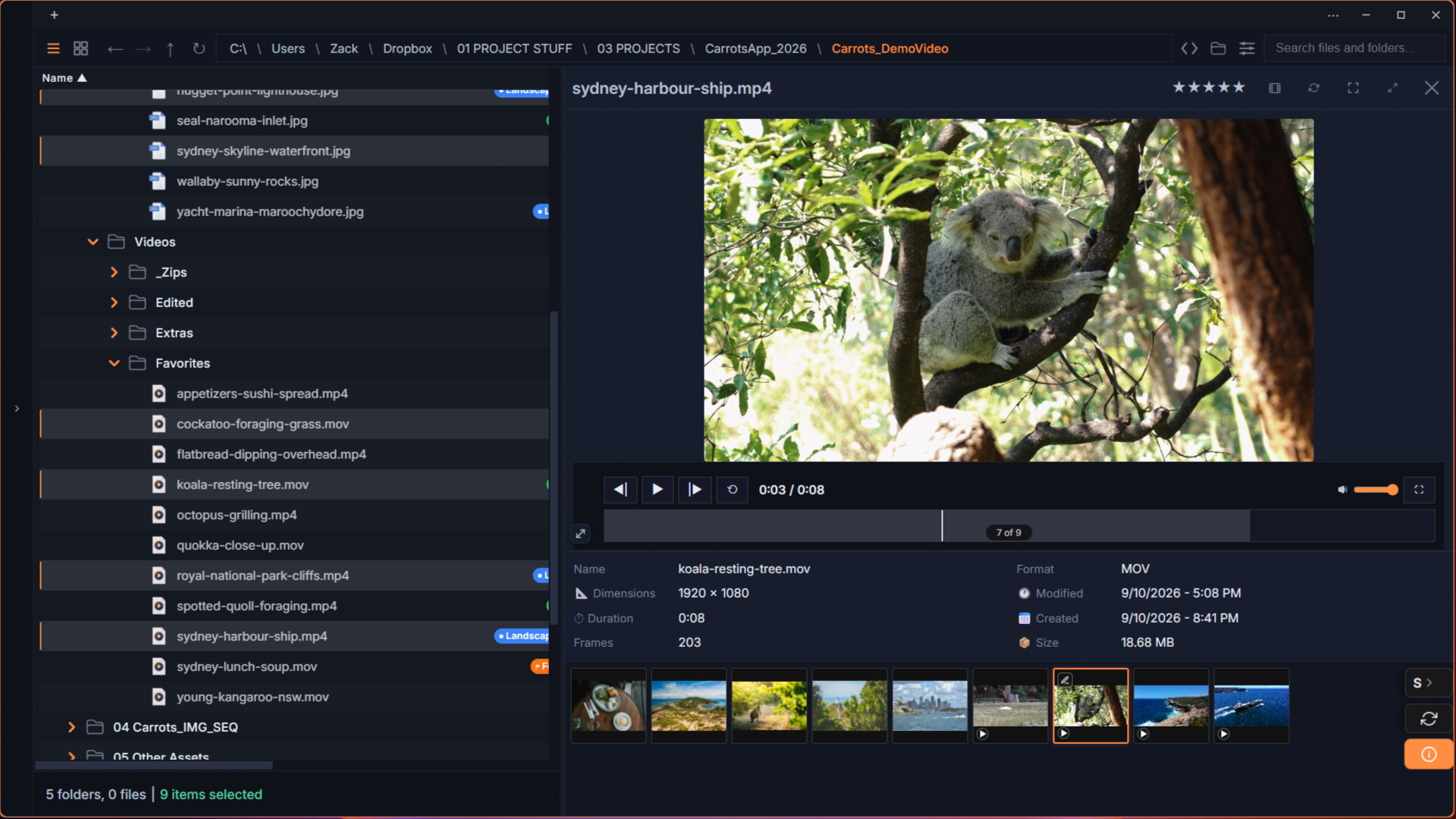
Dropdown Navigation
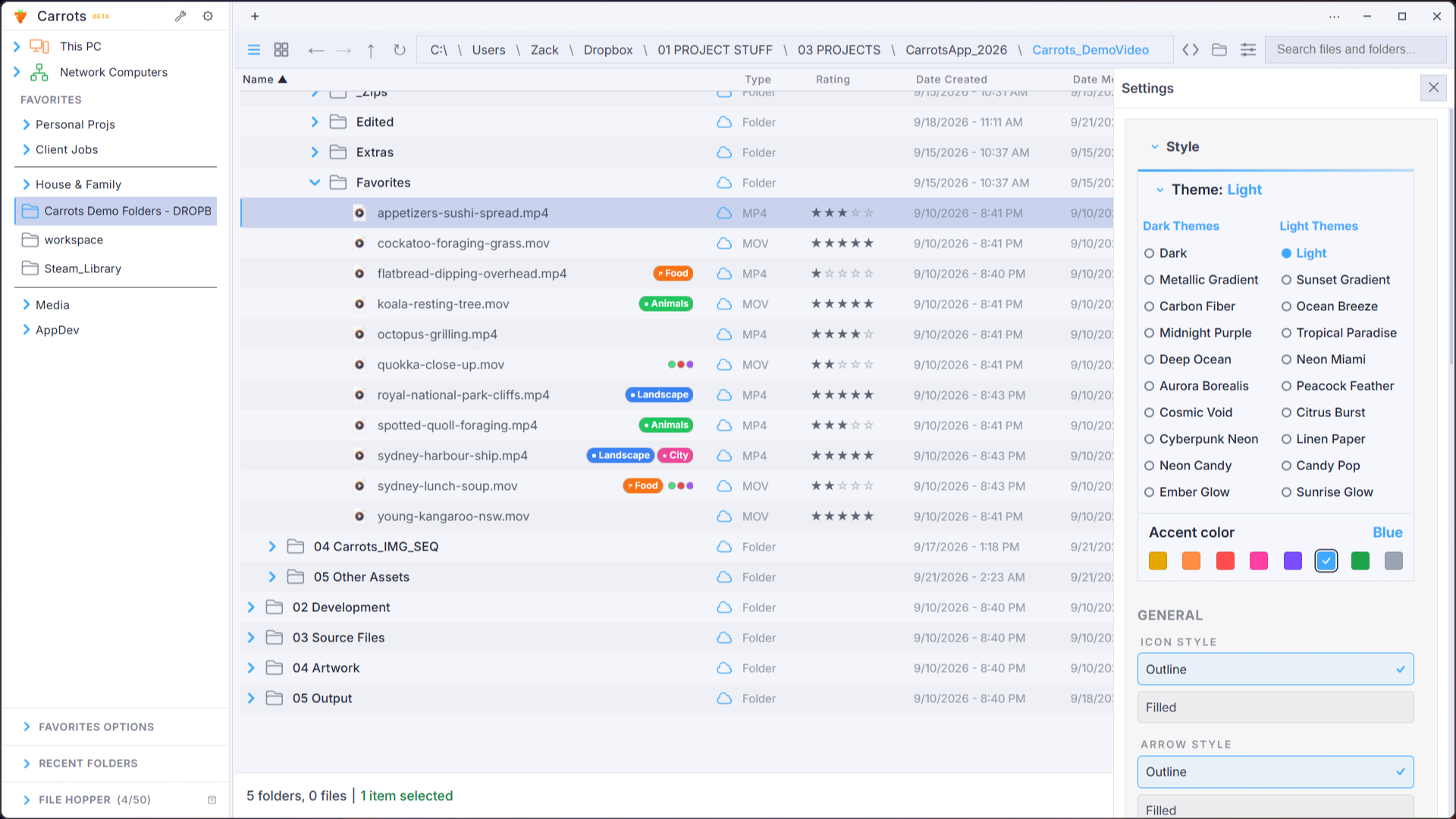
Expand folders in place. See your entire file structure in one scrollable list, like macOS Finder, finally on Windows.
Quick Preview
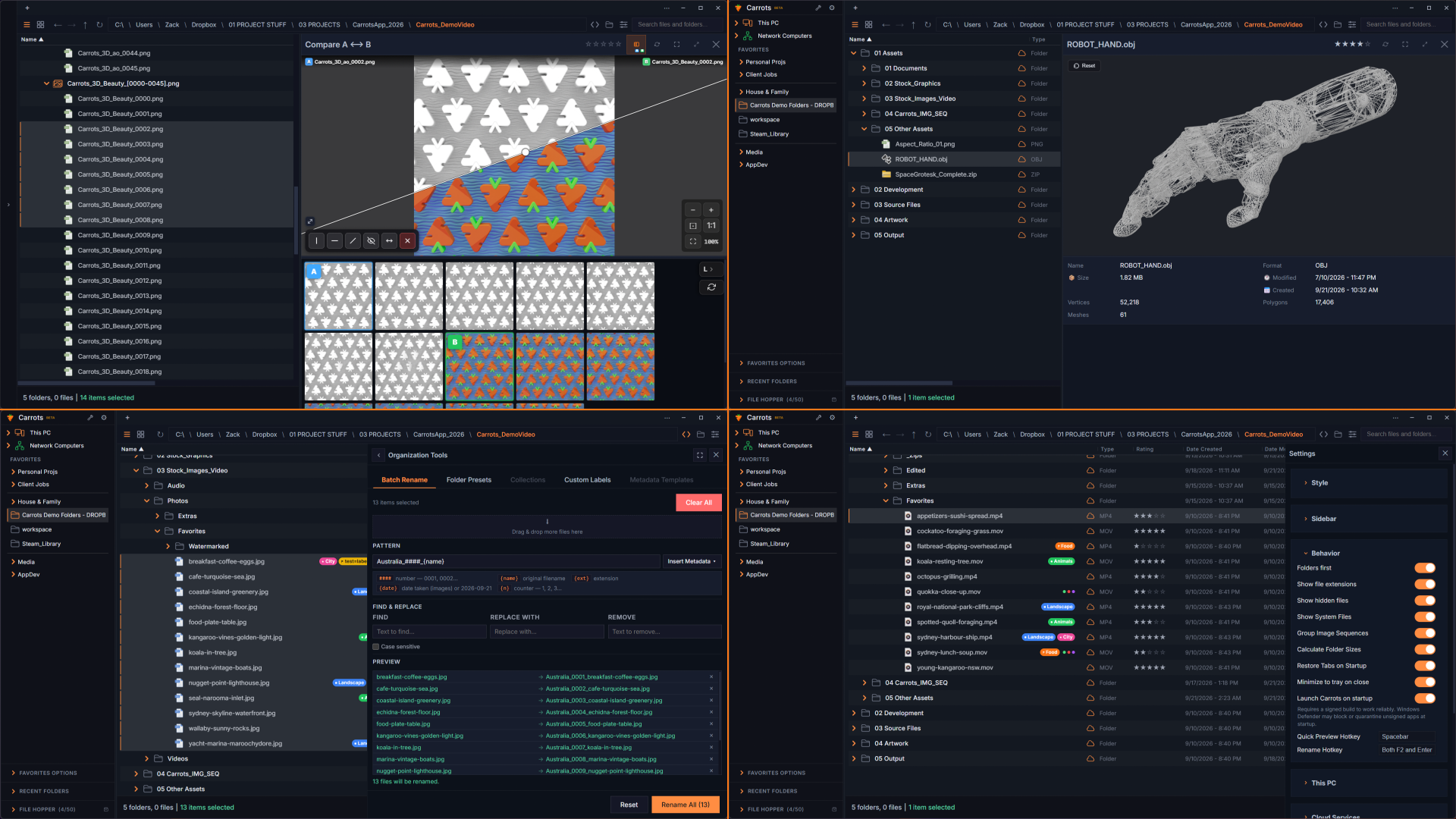
Images, videos, 3D models, PDFs, and 50+ formats. Instantly, without switching apps.
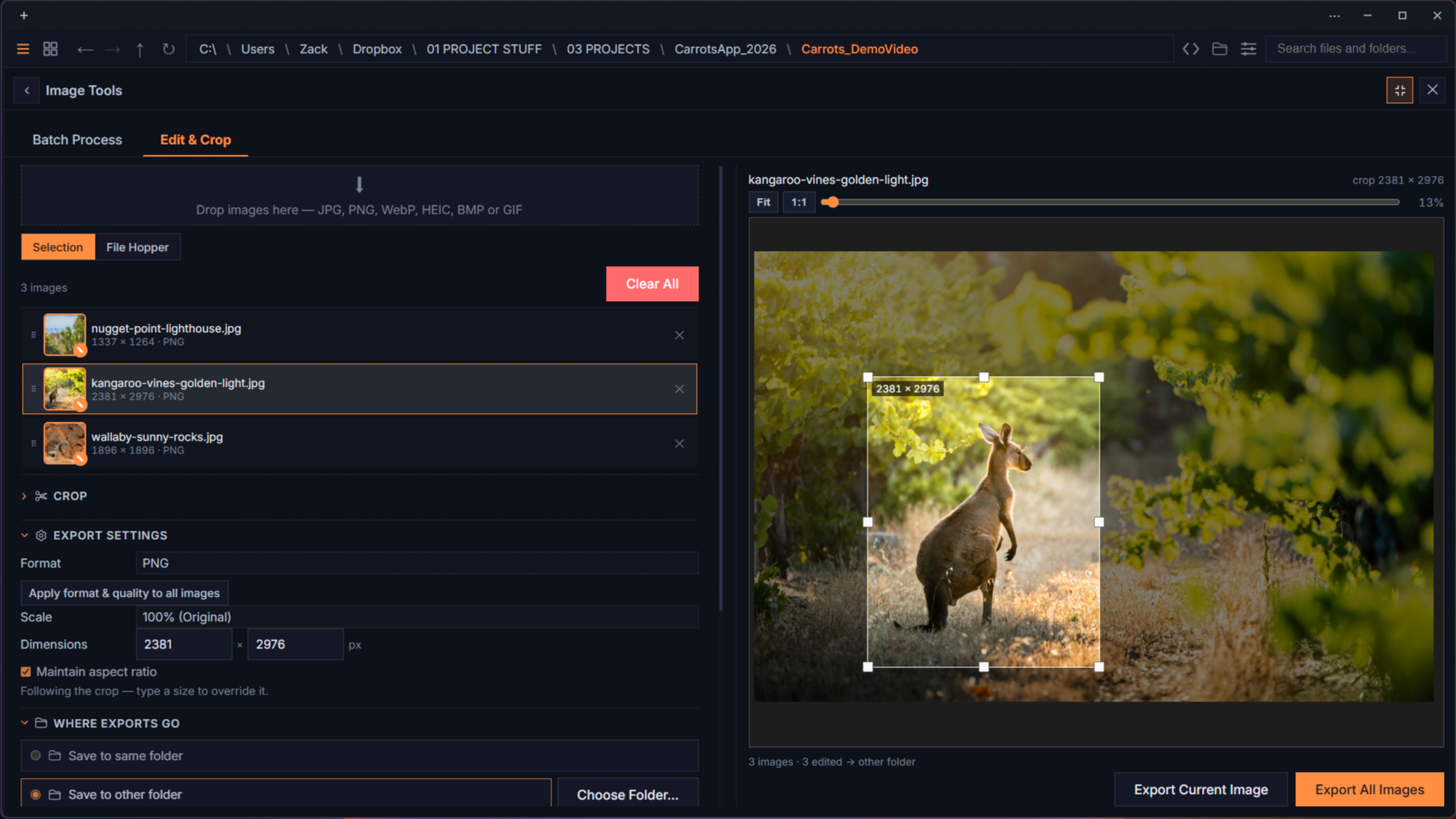
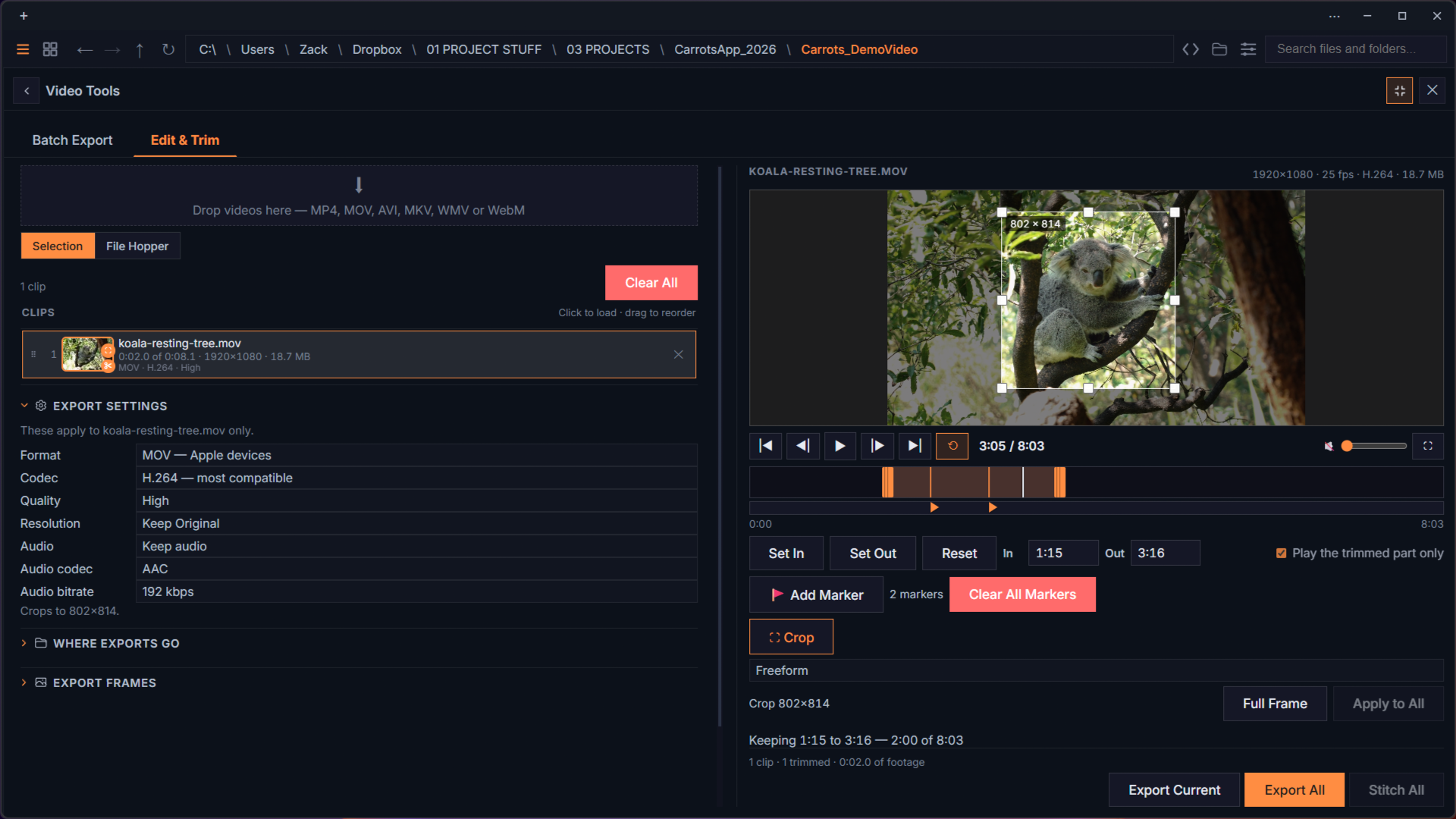
Built-in Editing
Crop, resize, rotate, trim, export GIFs. Simple tasks without opening Photoshop or Premiere.
Batch Conversion
Convert images and videos in bulk. PNG, JPG, WEBP, HEIC, MP4, MOV, GIF. Select, convert, done.
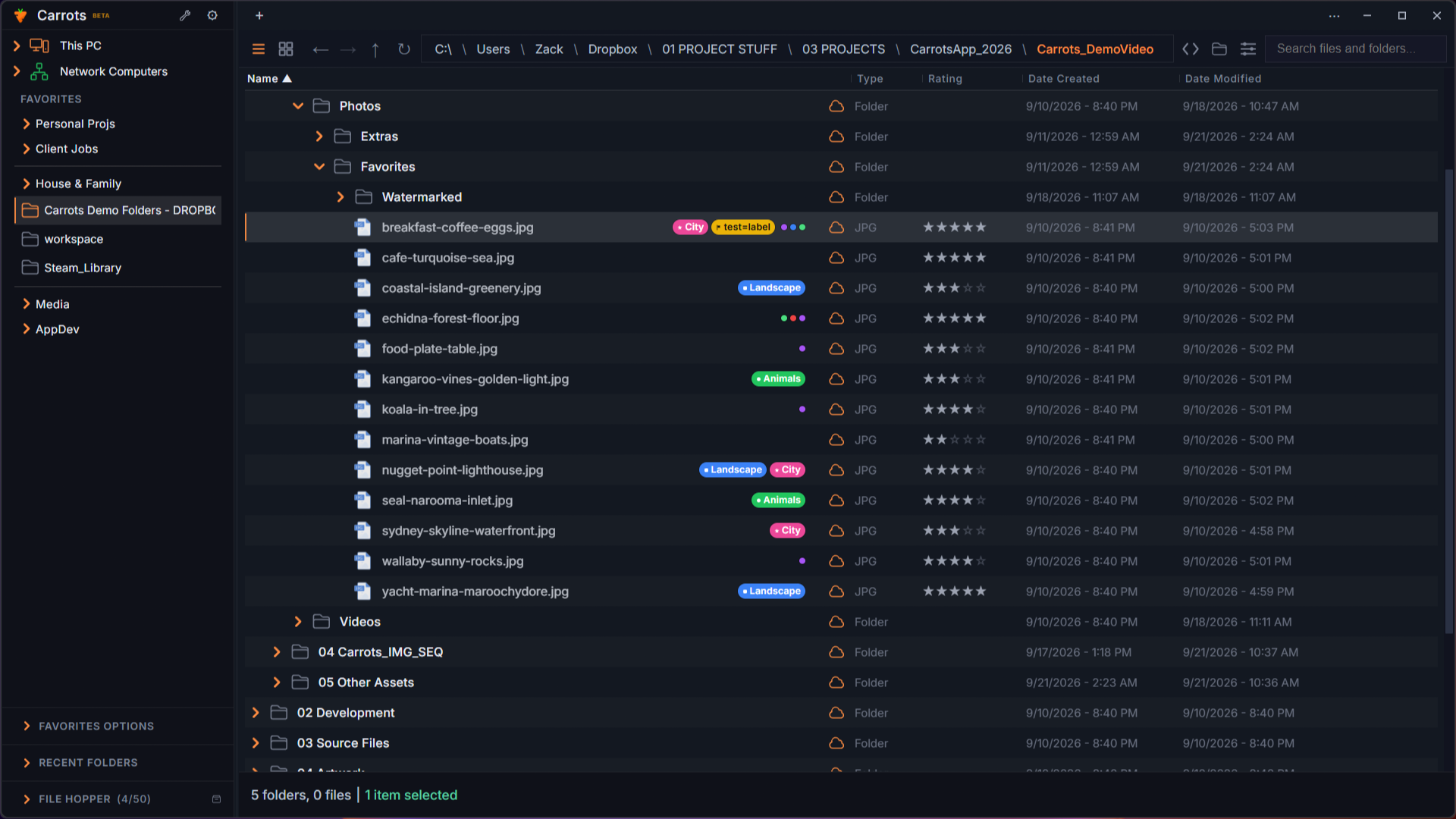
Ratings + Tags
Star ratings, color tags, custom labels, and metadata columns. Organize exactly how you want.
File Hopper
Collect files from anywhere across different folders. Drag, drop, organize, all in one place.
Customizable Themes
Dark and light themes with custom accent colors. Adjust spacing, sizing, and UI density to match your style.
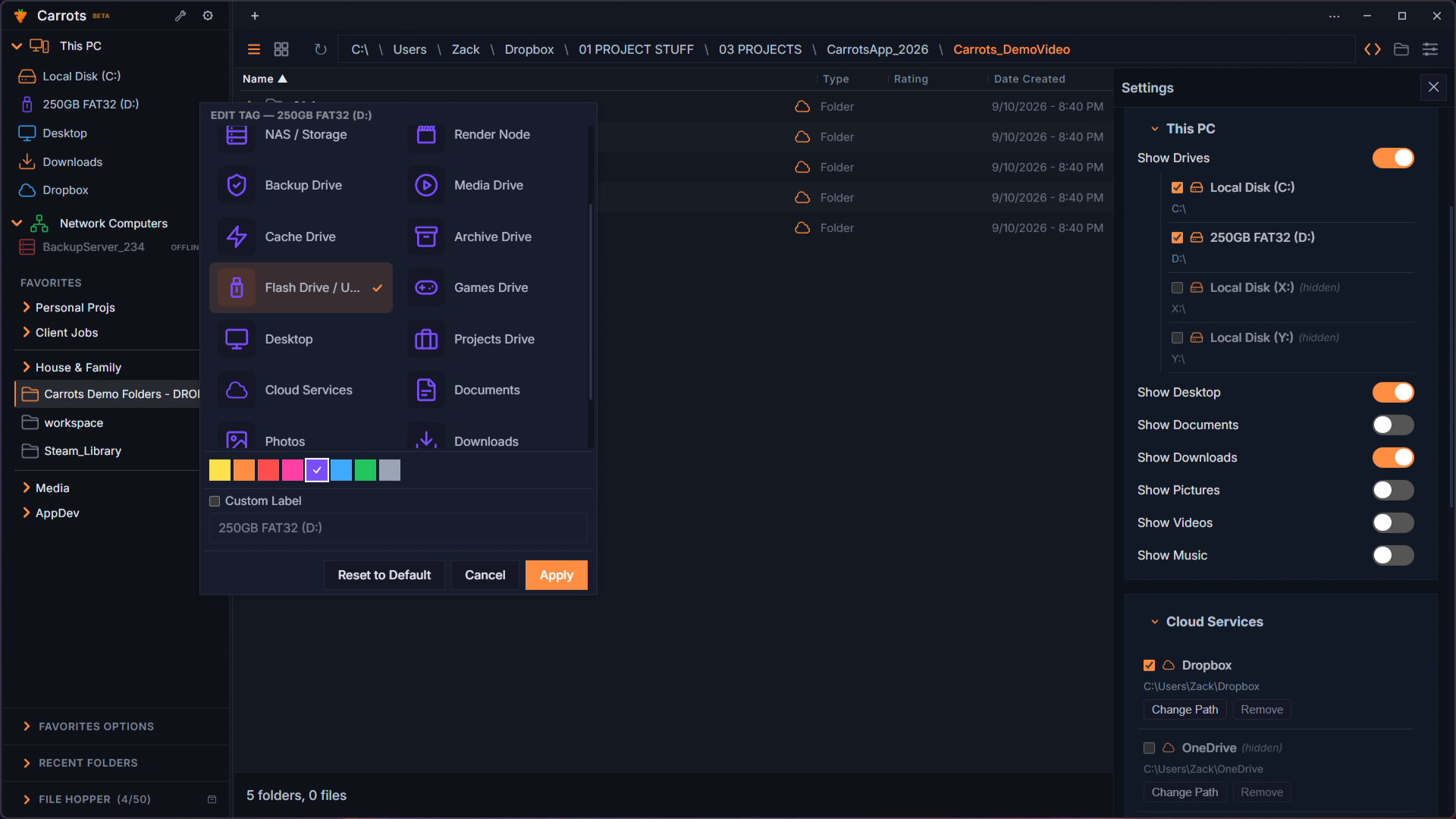
Cloud + NAS
Dropbox, OneDrive, Google Drive, Box. Network drives and NAS connections. Everything in one place.
Built for creators.
Works for everyone.
Dropdown Navigation
See your entire folder structure in one scrollable list.
Quick Preview
50+ formats instantly, without switching apps.
Built-in Editing
Crop, trim, resize without opening another app.
Batch Conversion
Convert images and videos in bulk, in any format.
Ratings + Tags
Star ratings, color tags, and custom labels.
File Hopper
Collect files from anywhere into one place.
Themes
Dark and light themes with custom accent colors.
Cloud + NAS
Dropbox, OneDrive, Google Drive, and network drives.
Sign up for launch updates.
Enter your email and we'll let you know when Carrots officially launches.
Early adopters lock in $39/year before the price increases.
Coming soon: $39/year early access for 2 seats (2 devices/machines). Price will increase to $49–$59/year at a future date — early adopters keep their rate permanently. Includes a 30-day free trial on the paid release.
No spam emails. Thank you for joining the list!
©2026 Carrots, All right reserved.